Tally integration has always been one of the first questions we get from finance teams in Mauritius. Most businesses do not want to rebuild their full invoicing process. They want to keep working in Tally Prime, add a clear fiscalise action, and produce compliant invoices without adding complicated manual steps.
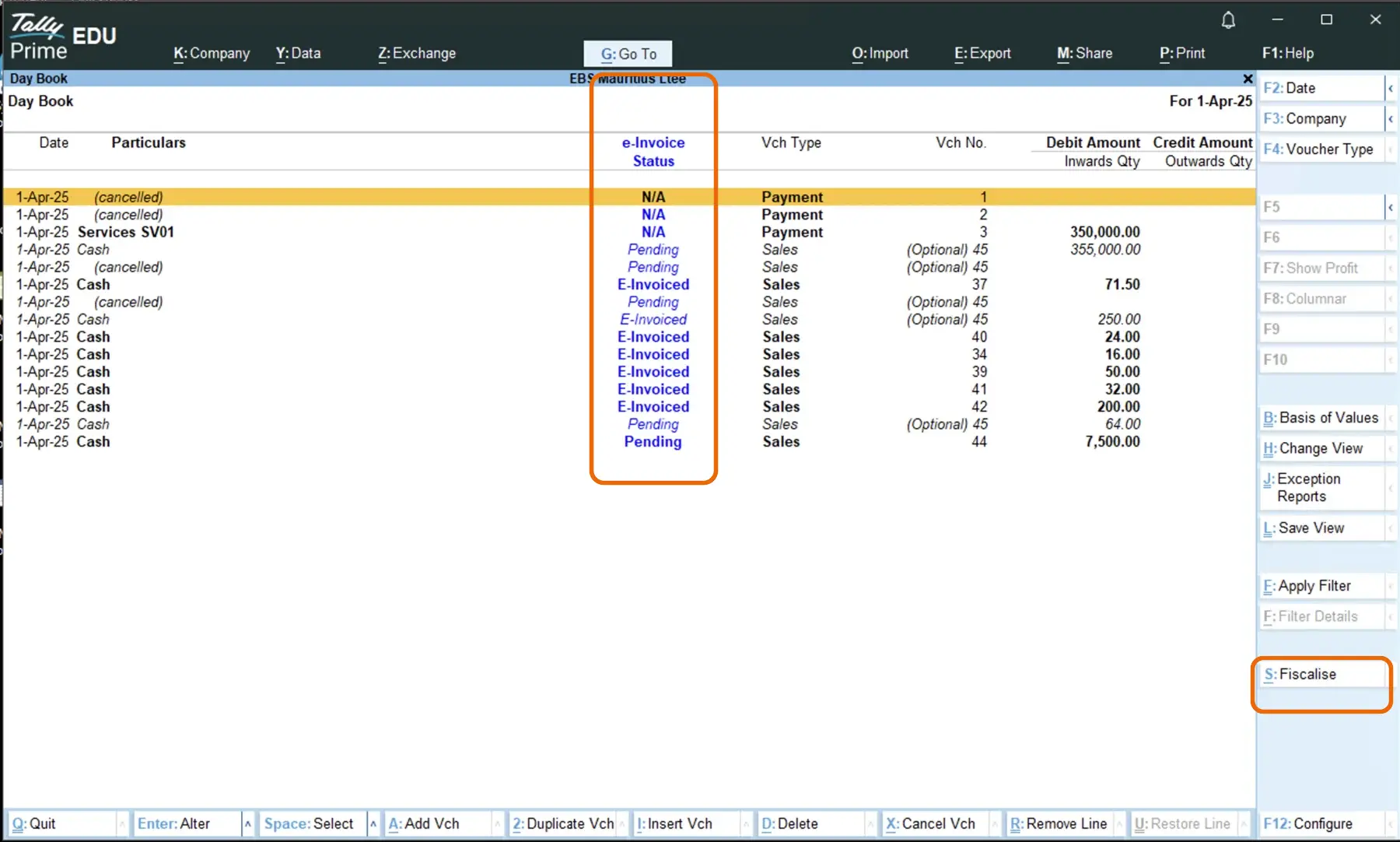
In the model we implement, your user creates the invoice in Tally Prime as usual, then clicks a fiscalise button directly in that workflow. The invoice details are securely sent through EBS for real-time fiscal processing, and the response comes back with the information needed for compliant output. The final invoice includes the QR code inside the Tally invoice printout, so your customer receives one clean document and your team keeps a clear audit trail.
This gives teams practical flexibility: you can fiscalise exactly when the voucher is ready, instead of forcing every draft through a rigid automatic push. When mandatory information is missing, the fiscalise action returns clear feedback so users can correct fields and retry with confidence.
It also supports real-world operations where teams may need to catch up. If a voucher was saved earlier and reviewed later, users can fiscalise once details are confirmed instead of re-entering everything. This is useful during peak periods, shift handovers, or when approvals happen after the initial data entry.
How This Feels in Daily Operations
For most teams, the biggest benefit is operational continuity. Cashiers, billing staff, and accounts teams continue working in the software they already know. Instead of exporting data or switching between multiple tools, they stay inside Tally Prime and complete fiscalisation as part of the same invoice flow.
This also helps with internal control. Because the QR and fiscal details are tied to the same invoice event, there is less risk of mismatch between what was issued to the customer and what was submitted for compliance.
What Happens If an Invoice Needs Correction
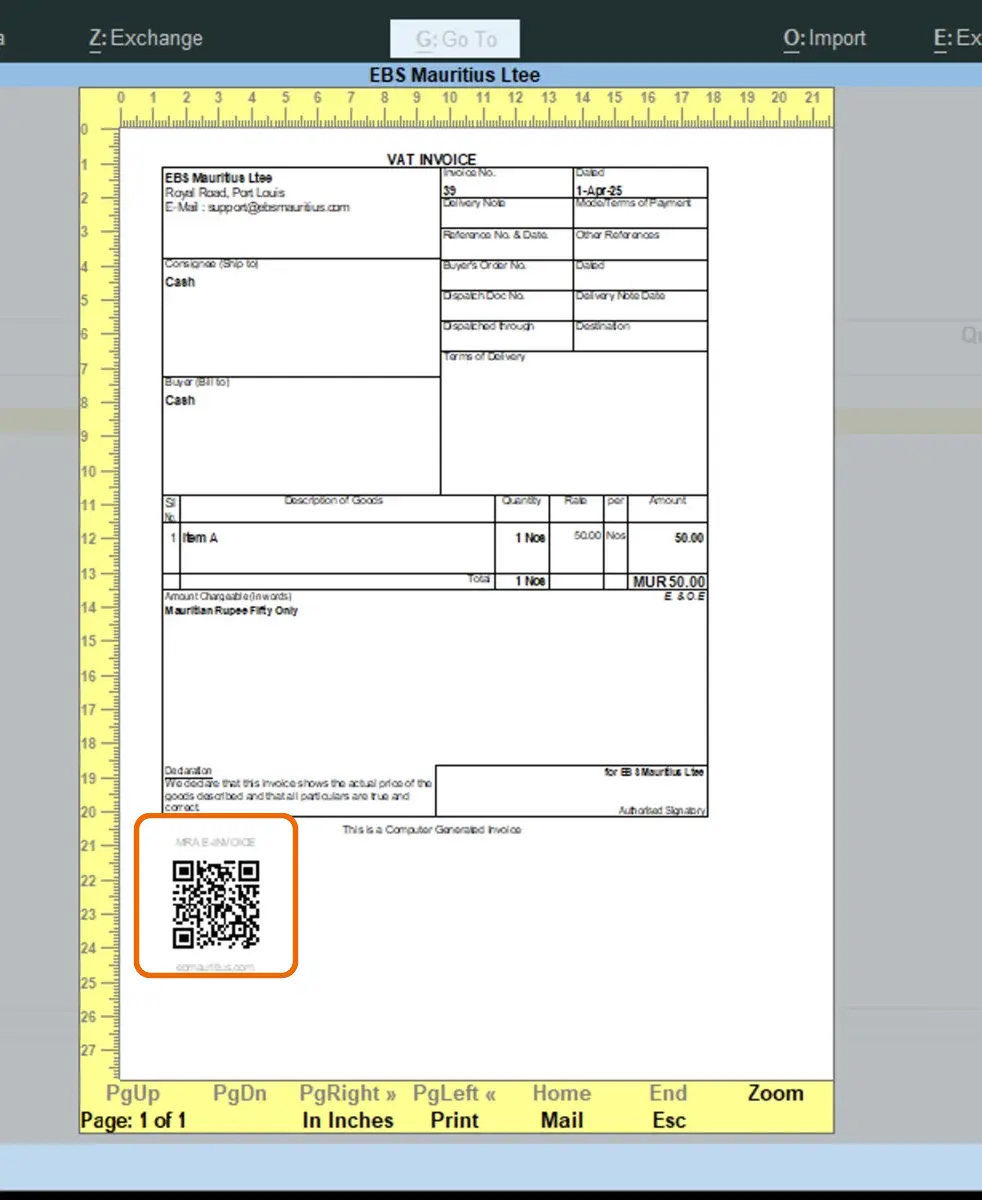
Even with good setup, some invoices may be rejected because of missing fields, invalid customer details, or incorrect tax mapping. We handle this with a clear exception process so your team knows what to fix, who owns the action, and how quickly it should be resubmitted. During early go-live, we recommend a daily exception review so issues are resolved before they accumulate.
In day-to-day use, this means the fiscalise flow behaves like a practical checkpoint. If required fields are missing, users get an immediate prompt showing what needs to be corrected. Teams can then apply the corrective information and re-run fiscalisation without leaving their normal Tally workflow.
Before Go-Live
Before switching to production, we run practical checks on your invoice template, tax mapping, correction scenarios, and user responsibilities. This gives your team confidence that the same workflow that worked in testing will remain stable when live invoice volume starts moving.
A step-by-step demo video of this Tally MRA e-invoicing workflow is coming soon and will be added to this page. It will cover the full sequence: voucher preparation, fiscalise trigger timing, missing-field error handling, corrective actions, and final QR-ready invoice output.